
OPEX Suite
Manage TPM-based operational excellence across many projects.
OPEX Suite manages your TPM 8-pillar operational excellence program across projects with pillar step-ladders, organization, activities and actuals tracking.
Advantages of using it digitally
- Many projects and 8 TPM pillars on one platform; progress in real time.
- Pillar step-ladders and activity-vs-actuals are tracked digitally.
- Dashboards and reports boost management visibility in one click.
- A central, bilingual (TR/EN) system instead of scattered Excel templates.
How it works
Manage your operational excellence projects end to end on a TPM basis — from setup to the phase ladder and reporting.
-
1
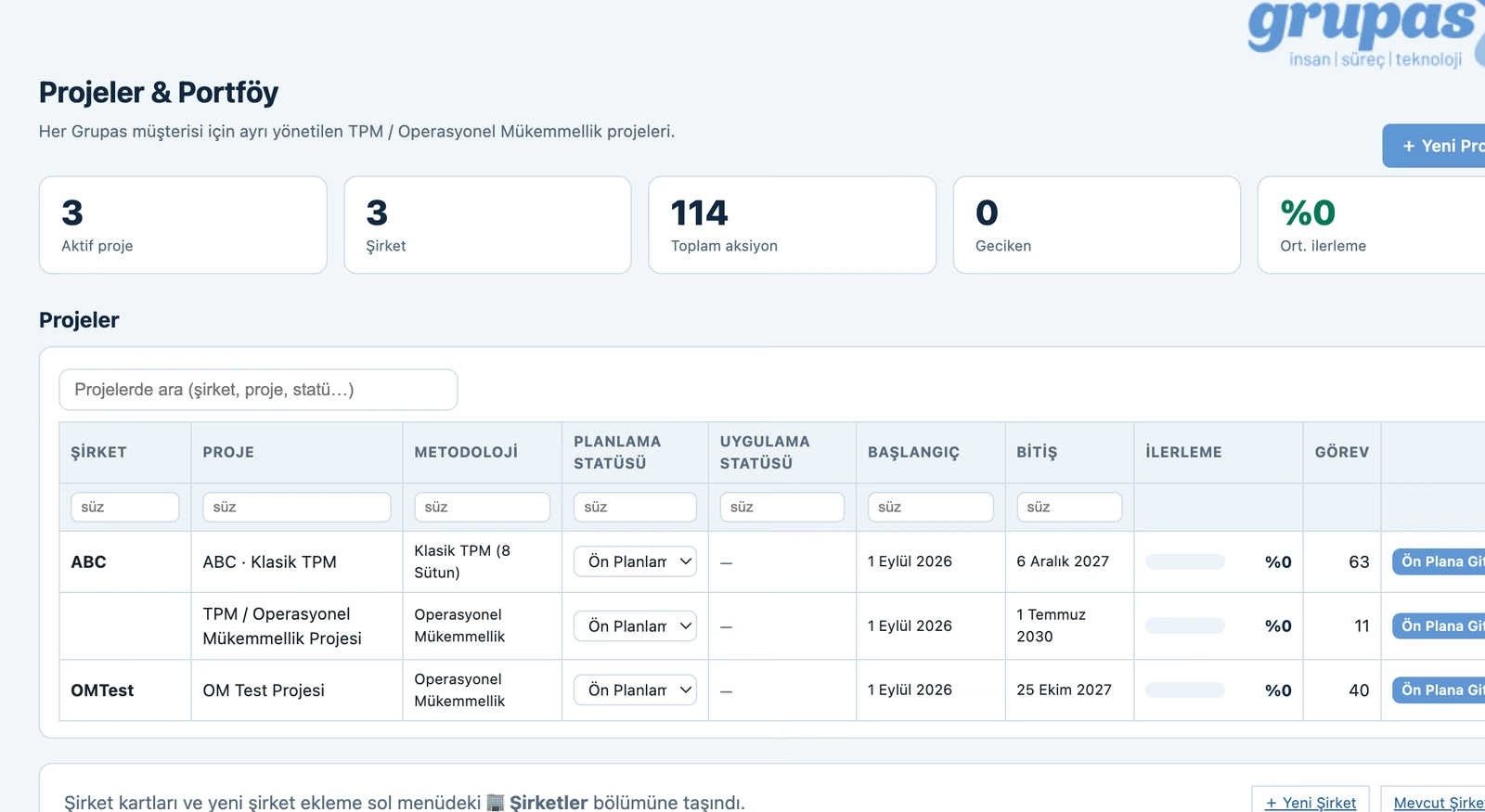
Open the panel
Open OPEX Suite; manage your TPM-based operational excellence projects and portfolio from one panel.
-
2
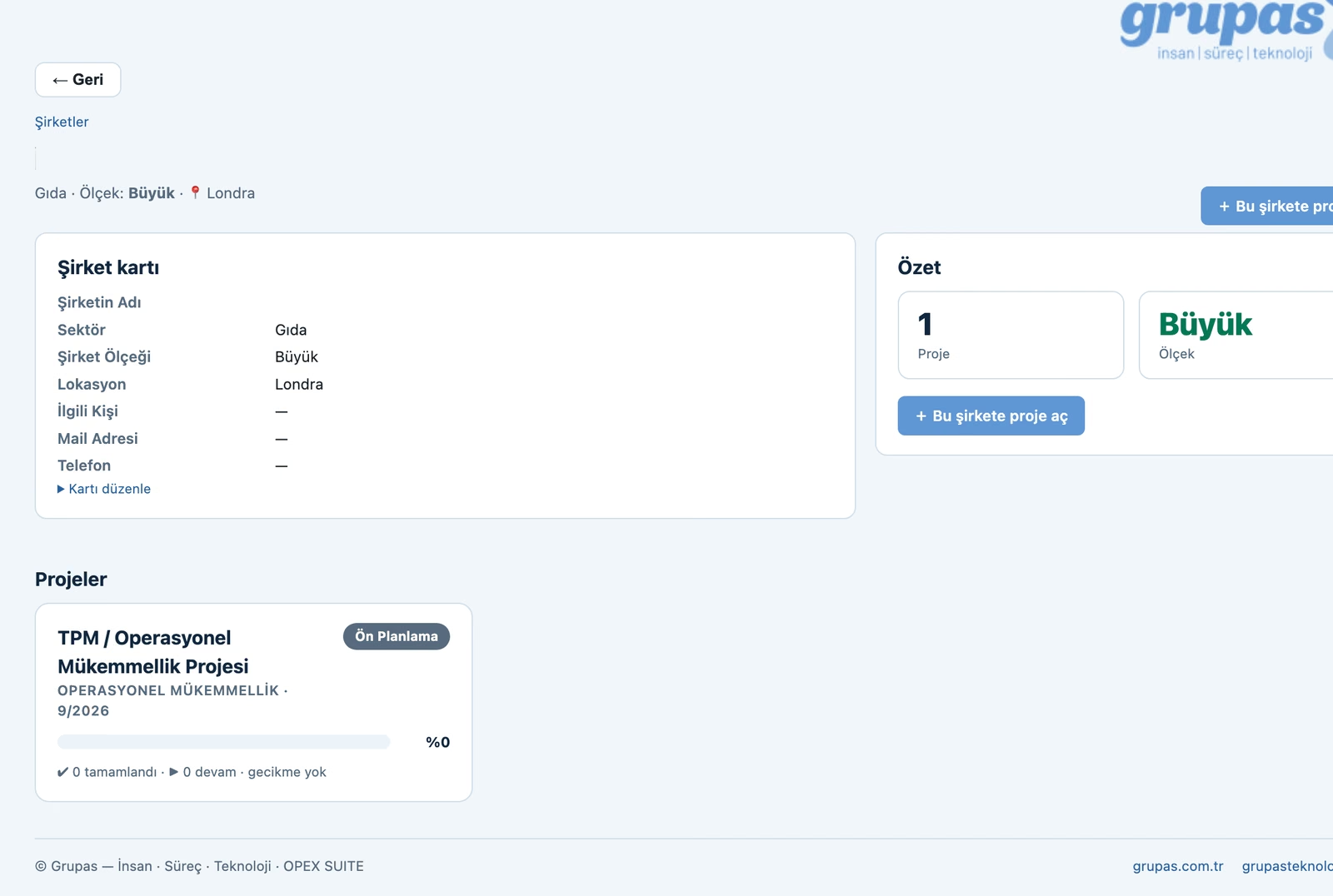
Create company & project
Define the client company and project, choose the TPM methodology; run the work bilingually (TR/EN).
-
3
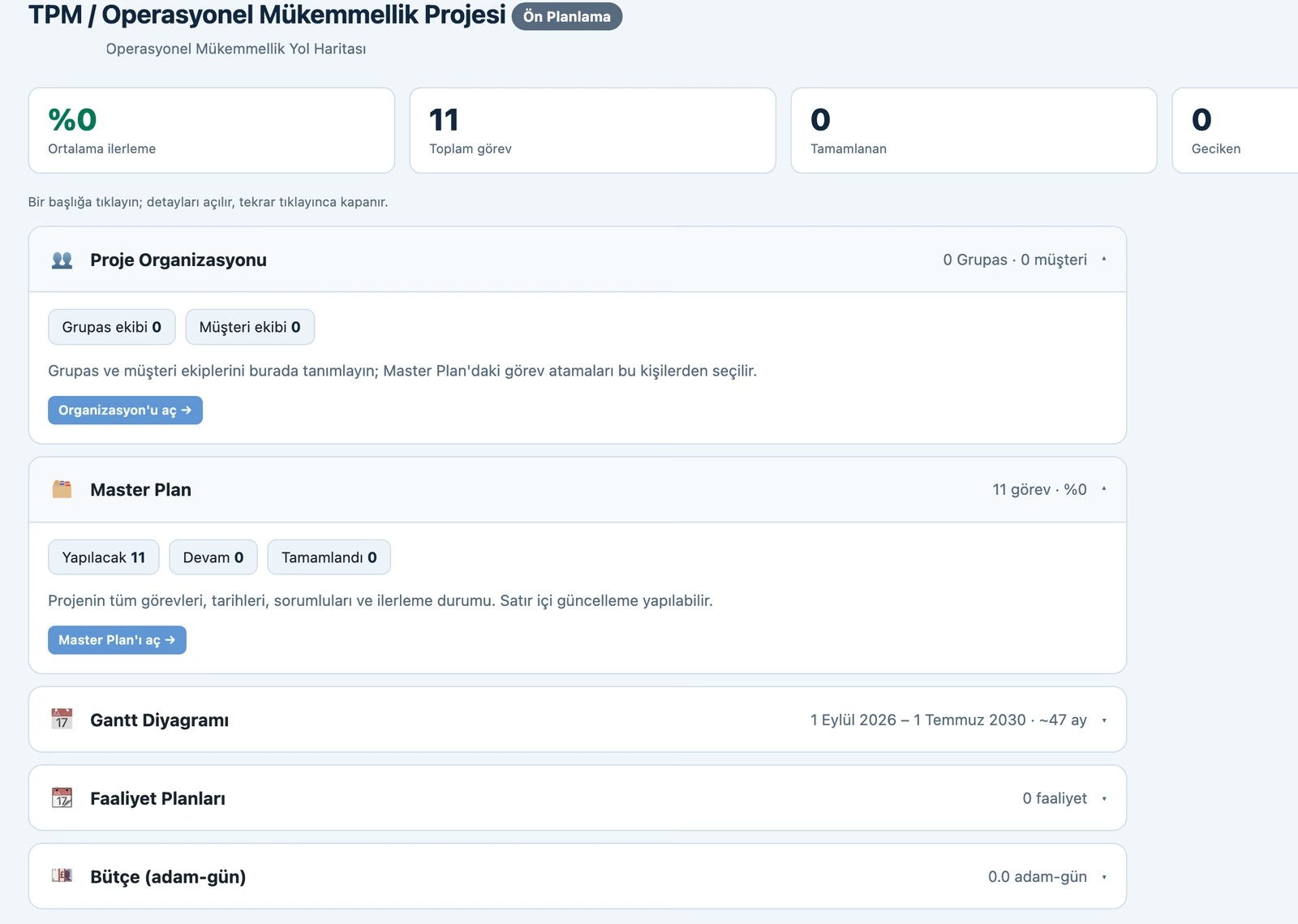
See the project cockpit
Average progress, task counts, the Master Plan, the Gantt chart, activity plans and budget (man-days) are summarized in one cockpit.
-
4
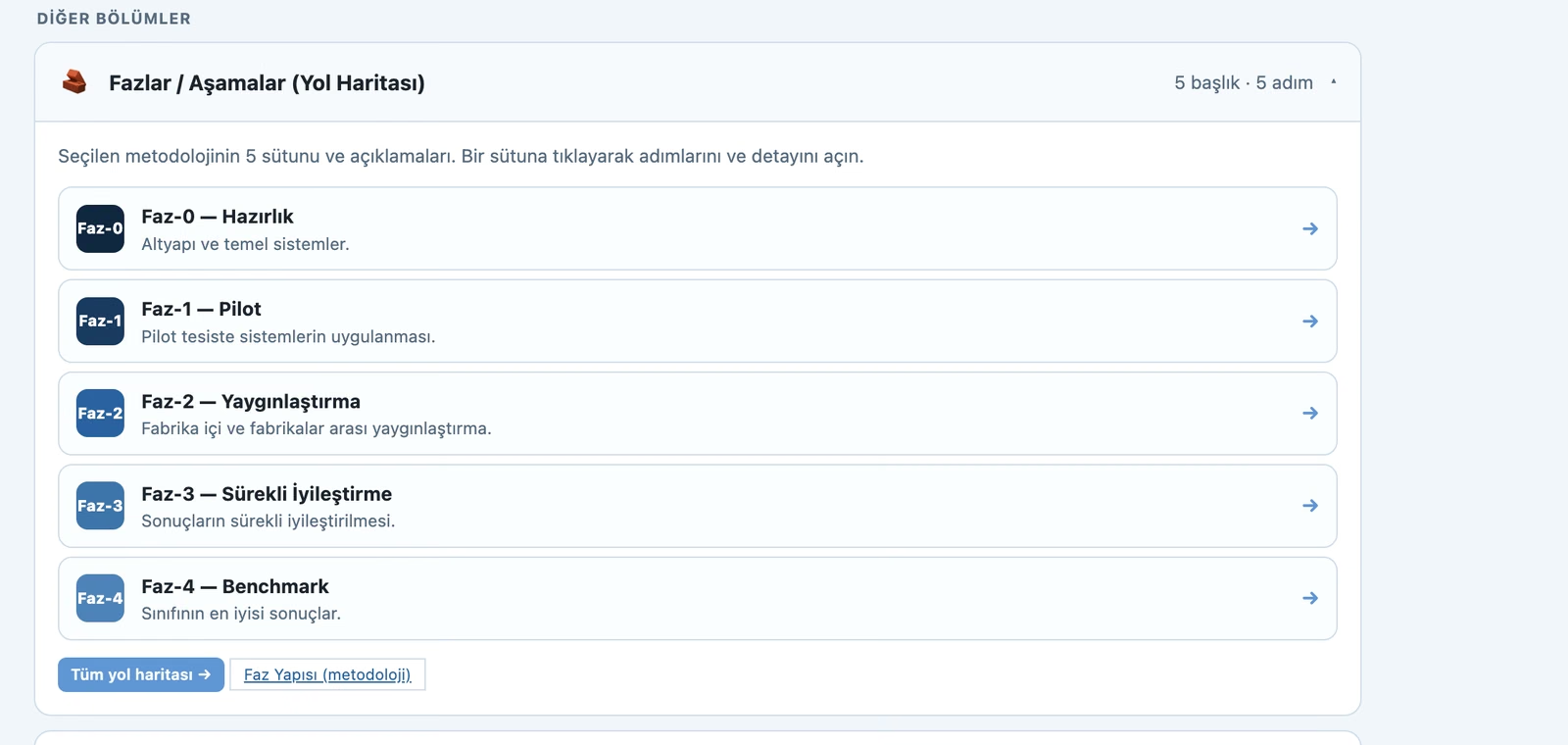
Follow the phase ladder
Follow the chosen methodology's phases step by step (Preparation → Pilot → Deployment → Continuous Improvement → Benchmark).
-
5
Manage tasks & report
Update tasks with the Master Plan and Kanban, analyze the project with grupas.ai and export as CSV.

Purpose
To make the OpEx/TPM transformation structured, measurable and sustainable — aligning all pillars and teams under one roof.
Key functions
- 8 TPM pillars management
- Pillar step-ladders
- Project, activity and actuals tracking
- Organization and roles
- OpEx Excel templates, bilingual (TR/EN)
Benefits
- Consolidates the transformation in one place
- Measures and makes progress visible
- Aligns teams on a shared goal
Who is it for?
OpEx/TPM leaders, production and plant management.
Let's run this assessment in your team
We'll tailor and report it to your needs and roles. Let's schedule a short call.
Get in Touch